Turn your script into an AI short film
Pick the look and write each shot. ScriptedReel writes the prompts, keeps faces and sets consistent, and renders one MP4 on your own video key.
No card · renders bill your own provider key at list price

Direct the look. Skip the prompts.
A good clip prompt names the medium, the world, the set, the light, the colour and the camera, every single time. You choose each one once, at the level it belongs to: the film's look reaches every clip, a scene's look every shot in it, and the camera is set per shot.
Film
Rendering style · film tradition · world aesthetic · character design · genre · motion · texture. The identity that keeps 40 clips looking like one movie.
Scene
Set design · set dressing · atmosphere · colour palette · mood. Changes when the location or the feeling does.
Shot
Shot size · angle · camera movement · lens & focus · composition · speed — and its light and effects, written in the shot script. Different for every clip, like a real shot list.
Pin the look. Every clip follows it.
Recognise a style from a picture, not a prompt. Pick it for the film and every clip speaks the same visual language — stop-motion is even cut at 12 fps.
Styles & film language · set for the film
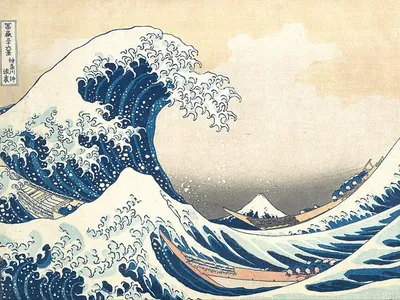
Film level: Rendering style
Woodblock printFlat print layers
Edo-era prints in motion: Prussian-blue waves, flat gradients.
The Great Wave off Kanagawa — Katsushika Hokusai (Public domain)
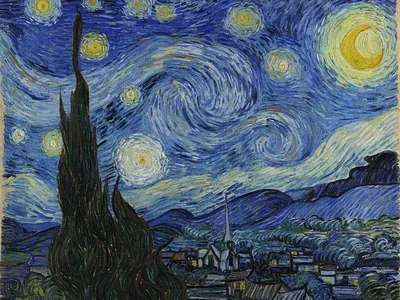
Film level: Rendering style
Living oil paintingMoving brushstrokes
Every frame painted; brushstrokes swirl with the motion.
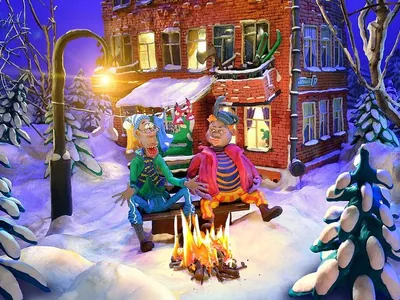
Film level: Rendering style
Stop-motion clay12 fps handmade
Handmade puppets and miniature sets, fingerprints and all.
Animacion-con-plastilina-y-clay-animation-pelicula-Kuzmich-153.jpg — Sviridov, Max (Public domain)
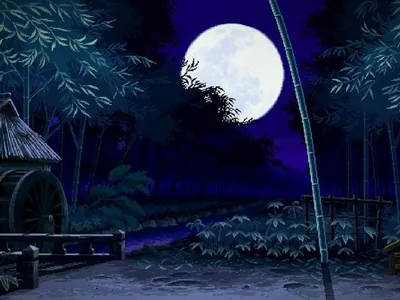
Film level: Rendering style
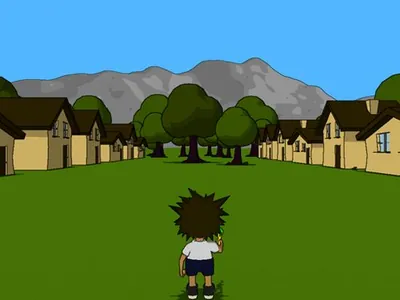
Pixel art16-bit
16-bit game worlds: crisp pixels, dithered skies, parallax.
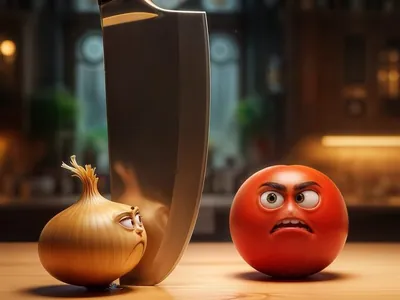
Film level: Rendering style
Stylized 3DStylized CG
Feature-film CG: soft volumes, big eyes, warm light.
Film level: Rendering style
Cel-shaded 3DToon shading
3D models drawn like 2D: flat toon tones and ink outlines.
Cel shading with outlines.png — Donnie DeBoer (Public domain)
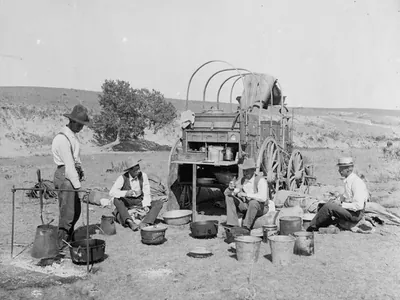
Film level: Genre
Lawmen, outlaws, standoffs.
Chuckwagon Texas 1900.jpg — William Henry Jackson (Public domain)
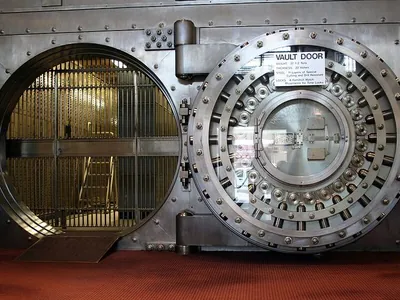
Film level: Genre
A crew, a plan, a vault.
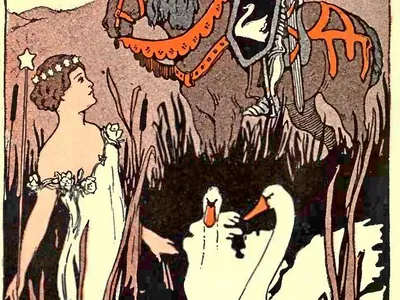
Film level: Genre
Once upon a time, with a moral.
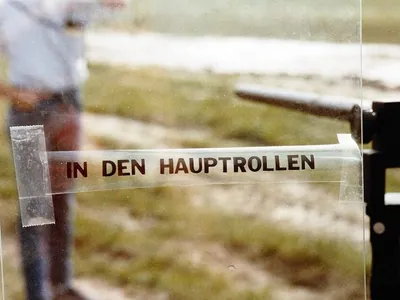
Film level: Texture & finish
Home-movie film: jitter, flicker, faded warmth.
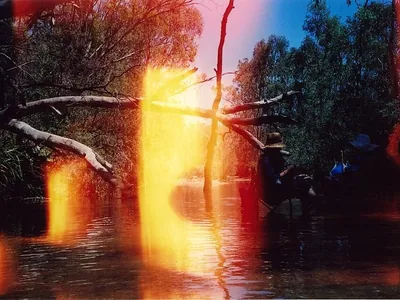
Film level: Texture & finish
Warm flares of leaked light and film burns.
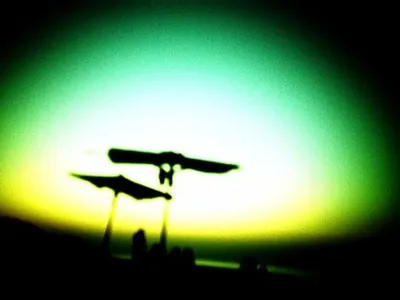
Film level: Texture & finish
Soft edges, swirly bokeh, colour fringing.
Worlds (film) & set design (scene)
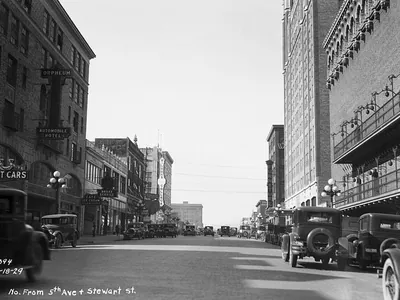
Film level: World aesthetic
1920s city: skyscrapers rising, speakeasies, flappers, early motorcars.
Fifth Avenue, 1929 (17301048862).jpg — Seattle Municipal Archives from Seattle, WA (CC BY 2.0)
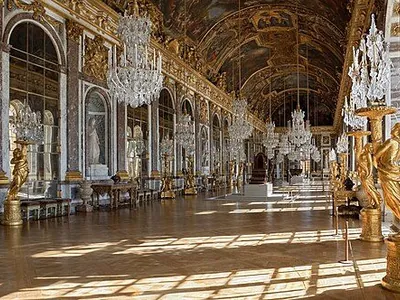
Scene level: Set design
Gilt mirrors, frescoed ceilings, candlelit opulence.
File:Chateau Versailles Galerie des Glaces.jpg — Myrabella (CC BY-SA 3.0)
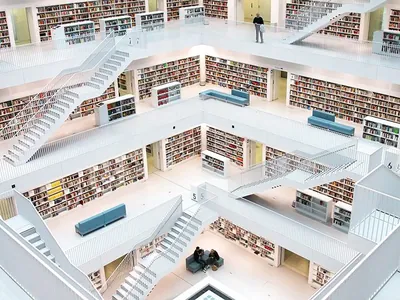
Film level: World aesthetic
White curves, light panels, stars outside.
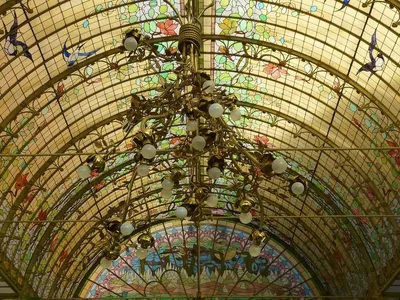
Scene level: Set design
Whiplash curves, stained glass, forged-iron vines.
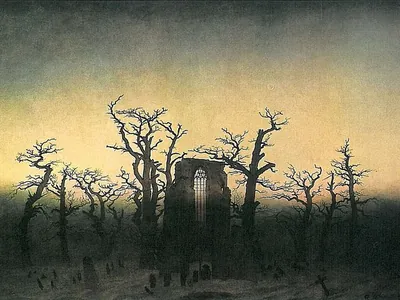
Film level: World aesthetic
Cursed lands, ruined abbeys, dead trees and things in the dark.
Abtei im Eichwald (C D Friedrich).jpg — Caspar David Friedrich (Public domain)
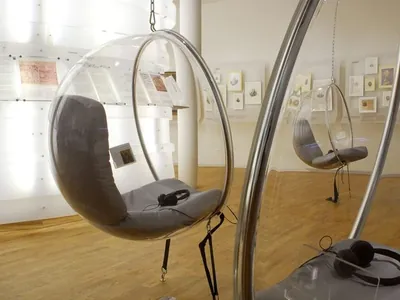
Scene level: Set design
Chrome, bubble chairs, frosted plastic, iridescence.
15 Bachhaus Eisenach Bubble Chairs — Bachhaus.eisenach (CC BY-SA 3.0)
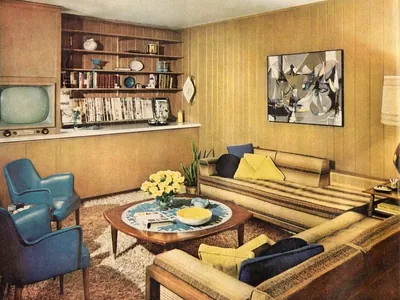
Film level: World aesthetic
1950s space-race optimism, Googie curves.
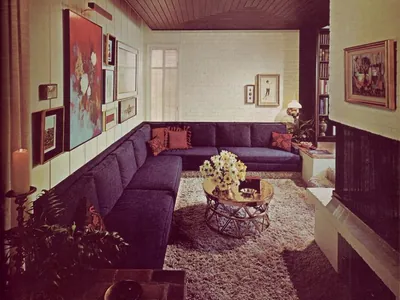
Scene level: Set design
Conversation pits, shag, orange and brown.
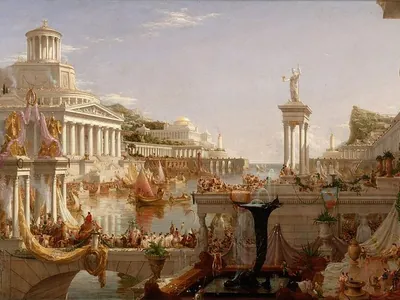
Film level: World aesthetic
Marble temples, bronze, togas, harbours of the ancient world.
Cole Thomas The Consummation The Course of the Empire 1836.jpg — Thomas Cole (Public domain)
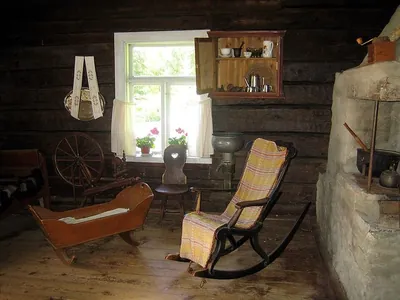
Scene level: Set design
Floral paper, oak beams, herbs and hearth.
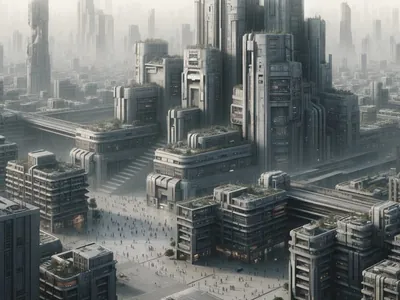
Film level: World aesthetic
Grey blocks, surveillance, rules everywhere.
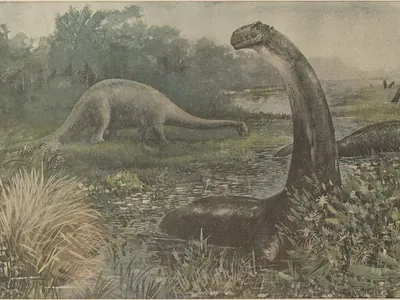
Film level: World aesthetic
Primeval land: giant beasts, ferns, volcanoes, no cities.
Illustration of the Brontosaurus by Charles R. Knight.jpg — Charles Robert Knight (Public domain)
See all 250 options in the Inspiration LibraryPresets describe a look rather than naming studios or artists.
A studio built for people who think in shots
AI Director
A director's eye on every shot, on your own Claude or OpenAI key. It reads the whole film before it answers. Included in Creator and Studio.
- Idea to script. A paragraph becomes scenes, shots, cast, places, look and sound — ready to edit.
- Prepare the shot. One press per shot: it plans the stills each clip starts and ends on, where the shot cuts and which references go into every clip, then writes each clip's video prompt — only what happens, with the camera, the set and the light pinned down.
- Notes on your script. What the script leaves open — talk with no dialogue line, a prop never named, a line without enough time — so you fix it and prepare again.
- Warnings. Model limits, continuity breaks, lines that won't fit — flagged with a fix before you spend anything.
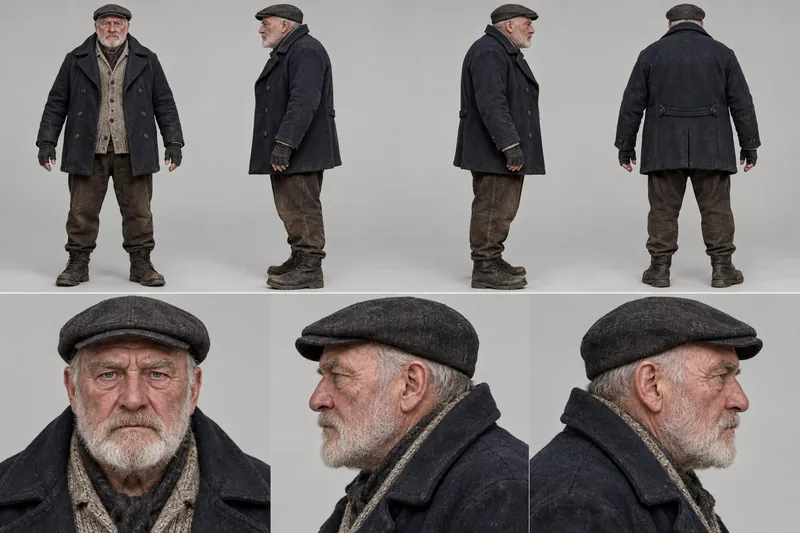
Character Studio
A cast you can reuse. Each character gets a reference sheet — full-body views and close-ups — from a description or 3–5 photos. Write @handle in a script and they look the same in every clip. Add a real voice, yours or someone's who agreed, on the models that take one.
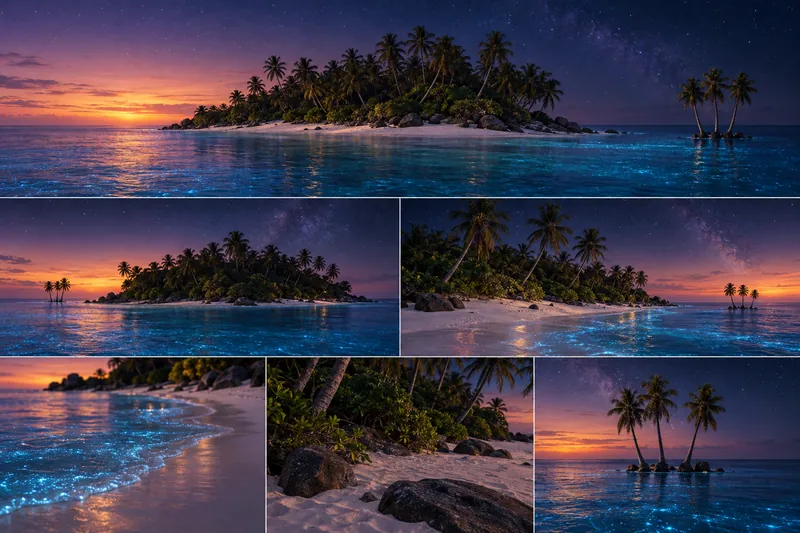
Location Studio
Places get cast too. A location sheet shows the wide view, reverse angles and details, made from words or 1–5 photos. Write #place in a scene or shot and the set stays the same from shot to shot.
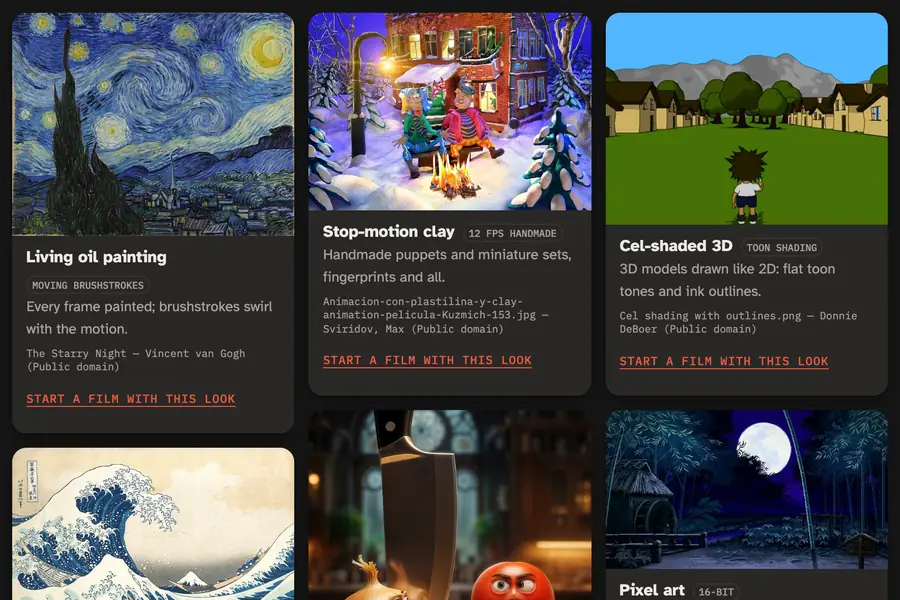
Inspiration Library
Pick the look, not the prompt. Every style, set, light, palette and camera option comes with an example, and camera moves are drawn as animations. Or Extract from a picture: its light, texture or palette written into your settings. Browse the library
From an idea to the cut in five steps
Pick the settings
Start from a preset or choose the film's look: rendering style, world, genre, motion. Each scene adds its set and mood.
Create characters & locations
Turn a description or a few photos into reference sheets. Write @mira or #harbor and they look the same in every shot.
Write the script
One script per shot — action, dialogue, sound and camera lines. Timecodes are worked out as you type.
Let the AI Director guide you
On Creator and Studio, it drafts from your idea, advises on each shot, tightens the wording and plans the frames every clip starts and ends on.
Render the scenes
See every prompt and the price first. Render a shot, a scene or the whole film; finished takes are reused, never re-billed.
Prompt → video makes a clip. Not a film.
Video platforms give you one box: type a prompt, get a few seconds. That's a shot, not a story. Everything that turns shots into a film is left to you.
Seconds, not scenes
Every model stops somewhere between 8 and 30 seconds per clip. A scene runs longer, so you split it by hand, prompt each piece and hope the joins hold.
Faces and sets drift
Each prompt starts from nothing. Your lead looks different in the second clip, and the room changes between cuts.
No memory of the story
The model doesn't know what happened a shot ago: who walked out, what was put down, what time of day it is.
Every model, different rules
First frame, last frame, reference pictures, voices, clip lengths and prices all differ. You learn each one by paying for re-rolls.
A folder of clips, not a cut
Download, grab last frames, re-upload, then glue it all together in an editor. For every scene.
ScriptedReel gives the work a structure — film → scenes → shots, one script per shot — and plans every clip around what your model can do. You stay on the story.
Bring your own keys. No markup.
ScriptedReel never resells generation. Your video key is billed by the provider at its own price, so you see the estimate before every render and you keep your provider's credits and discounts. One video key is enough to start.
A 3-minute film on Kling 3.0 through fal is about $30 of generation per pass (180 s × $0.168/s). The same film on Veo 3.1 is about $72.
| Your key | Models · price |
|---|---|
| fal.ai |
|
| Runware |
|
| WaveSpeed AI |
|
| Higgsfield |
|
| Google Gemini API |
|
| Runway |
|
| Claude / OpenAI | Used only for the AI Director (Creator and Studio) and Extract from picture (every plan). Video providers never need an LLM key from you. |
Prices at each model's default quality; ≈ marks an estimate — your provider's bill is the final word.
Pay for the studio, not the pixels
Launch pricing, in euros. We're not a VAT payer, so no VAT is added. Video generation is billed separately by your provider, on your key, at their list price in US dollars.
Free
€0 forever
No card needed
- Extract from — read a look from a picture, on your Claude or OpenAI key
- 2 films, 5 scenes each
- 50 renders a month
- 1 GB storage
Creator
€29 / month
or €278 a year — save 20%
- AI Director
- Advanced features (Restyle my video, Lip‑sync)
- Unlimited films & scenes
- 500 renders a month
- 10 GB storage
Studio
€59 / month
or €566 a year — save 20%
- AI Director
- Advanced features (Restyle my video, Lip‑sync)
- ScriptedReel API — films and renders from your own code, paid in usage credits
- Unlimited films & scenes
- Unlimited renders
- 100 GB storage
Every plan includes Extract from. Cancel any time; your films stay downloadable for 30 days.
Questions before you start
What does a film actually cost?
Your plan (free to €59/month) plus generation on your own provider key. Rough guide for 3 finished minutes: Seedance 2.5 on Higgsfield ≈ $13, Kling 3.0 on fal ≈ $30, Veo 3.1 ≈ $72. Expect to re-render some clips, so budget 2–3× that. ScriptedReel shows the estimate before every render and blocks any render above your per-render spending limit. Check the look first with stills — one picture per frame on your image key, about $0.10–0.15 each, before you spend on video.
Why not just use Kling, Veo or Runway directly?
You still do: ScriptedReel renders with those same models, on your own key, at the provider's list price. What it adds is the film around the clips — it splits each scene into clips the model can make, carries the last frame and your character and location sheets into the next clip so faces and sets hold, writes every prompt from your look and script, and joins the takes into one MP4.
Do I need to know how to write prompts?
No. You pick the look — rendering style, world, set design, colour, mood — for the film and each scene, write camera and light as plain lines in the shot script, and ScriptedReel composes the prompt for every clip. You can read the finished prompt for any shot and add your own notes at each level.
Do I need Claude or OpenAI keys?
No. Video platforms take our prompts directly, so a single video key is enough. Claude or OpenAI keys only power the optional AI Director (Creator and Studio), which drafts a film from your idea, advises on and tightens each shot and plans its frames, and Extract from picture, which reads a look (lighting, set design, rendering…) from a reference image.
What if a render fails halfway?
Finished clips are kept. Fix the scene or switch models and start again — ScriptedReel continues where it stopped and doesn't regenerate clips it already has.
Can I make it look like a specific studio or artist?
Presets describe a look — painted skies, 12 fps cel, halftone panels — instead of naming studios or artists. You can write anything you like in your scene and shot scripts, within your video provider's content policy and other people's rights.
Who owns the films?
You do, subject to your video provider's terms. We claim no rights over your scripts, images or renders and never use them to train models.
Can I cancel or get a refund?
Cancel any time in Settings → Plan & billing: your plan runs to the end of the paid period and your films stay downloadable for 30 days. EU consumers can withdraw from a new subscription within 14 days and get the unused days back. Generation is billed by your provider on your key, so its refunds follow your provider's terms.
What happens after I sign up?
We email a confirmation link. Click it, choose a password and you're in your studio. Add a video key in Settings when you're ready to render.
Your first scene is one paragraph away
Free to start. No card. Renders bill your own provider key.
Start your first film — free